Topic

LangChain

All digests tagged LangChain

How to go from your agent's traces to a fine-tuned model in one workflow thumbnail

· 9:01

How to go from your agent's traces to a fine-tuned model in one workflow

This walkthrough introduces LangSmith Fine-Tuning and the SmithTune CLI, providing a single, end-to-end workflow to convert agent traces (trajectories) into custom, fine-tuned models. The process involves dataset creation and preparation from LangSmith trajectories, training using providers like Fireworks or Baseten, and subsequent evaluation, all managed through the SmithTune CLI. The overall workflow is: Create $\rightarrow$ Prepare $\rightarrow$ Plan $\rightarrow$ Train $\rightarrow$ Evaluate $\rightarrow$ Deploy.

Key takeaways

  1. Supervised Fine-Tuning (SFT) Purpose

    SFT teaches a model desired behavior (e.g., tool selection, workflow adherence) using 'golden examples' derived from agent traces, improving task accuracy and tool reliability.

  2. Trajectory Format Importance 0:01

    The LangSmith trajectory format is critical because it provides a detailed reconstruction of the agent's context, including tools available at each turn, which is necessary for post-training jobs.

  3. SmithTune Workflow Overview 0:02

    The process starts by pulling trajectories from a LangSmith tracing project, defining a task-specific rubric, having a model council judge the traces, and then pushing the approved traces back to LangSmith to form a training dataset.

  4. Training and Evaluation 0:07

    After preparing the dataset (specifying provider, base model, and splits), the user runs `smithtune plan` to review settings, followed by `smithtune train` to execute the job. Evaluation compares the fine-tuned model against the base model on held-out test data.

  5. Deployment 0:08

    If results meet quality targets, `smithtune deploy` is used to serve the tuned model and connect it to the application. Otherwise, the process iterates by refining examples or training settings.

Watch on YouTube Full article

Schedules for Managed Deep Agents: Cron jobs, prompts, and Slack delivery thumbnail

· 3:26

Schedules for Managed Deep Agents: Cron jobs, prompts, and Slack delivery

This video demonstrates how to implement automated, recurring tasks using Schedules for Managed Deep Agents. By configuring cron jobs, agents can run autonomously to generate and deliver structured reports (e.g., a weekly Salesforce pipeline summary) to external channels like Slack, without manual intervention. The process involves defining the schedule syntax, deploying the agent to LangSmith, and ensuring the agent has access to necessary tools and context.

Key takeaways

  1. Automated Reporting via Cron Jobs

    Schedules allow agents to send recurring messages that invoke tools or leverage context, such as generating a weekly pipeline summary for the sales team.

  2. Schedule Configuration 0:01

    Schedules are defined by creating a file in the schedules directory, specifying a cron job, a time zone, a prompt, and optional input context.

  3. Deployment and Monitoring 0:01

    The scheduled agent must be deployed to LangSmith using a deploy command, allowing users to inspect the configured cron jobs and prompts within the LangSmith UI.

Watch on YouTube Full article

How To Build A Harness With Jev | A LangChain x TypeSafe Conversation thumbnail

· 48:04

How To Build A Harness With Jev | A LangChain x TypeSafe Conversation

This conversation introduces Jev, a novel System 1 model from TypeSafe AI, designed for fast, low-latency, and cost-effective decision-making. Unlike traditional LLMs, Jev does not generate text; instead, it makes structured decisions based on well-scoped questions and type-safe schemas. For build engineers, the primary focus is integrating Jev into agent harnesses (using frameworks like LangChain) to enhance reliability, manage risk (e.g., safety classification), and optimize resource usage (e.g., model routing) within the agent development lifecycle.

Key takeaways

  1. Jev is a System 1 Model, not a Generative LLM 5:23

    Jev is fundamentally different from LLMs; it does not generate text or images. It is designed to make fast, intuitive decisions from specific, well-scoped questions using type-safe schemas. This aligns with System 1 thinking (quick determinations), contrasting with System 2 thinking (multi-step reasoning, often associated with LLMs and code).

  2. Three Core Question Types for Structured Decisions 20:13

    Jev supports three decision types: **Choice** (selecting one option from a list, analogous to a classifier); **Score** (rating a state on a single, semantically defined axis, e.g., 0 to 2 for frustration); and **Noul** (a simple True/False or binary check). Questions must be broken down to the point they cannot be broken down further.

  3. Integrating Jev into Agent Middleware 32:37

    Jev can be integrated into agent harnesses as middleware to solve critical problems: **Safety Classification** (e.g., determining if a tool call is destructive and requires explicit intent) and **Model Routing** (selecting the optimal model—fast vs. in-depth—for a given task). This is significantly cheaper and faster than using heavy LLMs for every decision point.

  4. Context Engineering and Observability Best Practices

    When using Jev, it is crucial to minimize the state input to only what is strictly necessary for the determination. Furthermore, building auditability into the system and utilizing platforms like LangSmith for observability and evaluation (Evals) is highly recommended.

Watch on YouTube Full article

What is LangSmith? thumbnail

· 5:33

What is LangSmith?

LangSmith is a comprehensive platform designed for the Agent Development Lifecycle (ADLC), enabling build engineers to build, test, deploy, and monitor LLM applications and agents. It functions as a tracing backend, providing crucial observability into complex agent behavior—which can involve dozens of model and tool calls—by tracking every step, diagnosing bugs, and facilitating continuous quality assurance through structured testing and production monitoring.

Key takeaways

  1. Agent Observability is Critical

    Agents are inherently 'black boxes'; LangSmith solves this by providing visibility into the sequence of model calls and tool decisions, which are not visible in the final output.

  2. Tracing Components 0:01

    LangSmith defines three components: a 'Run' (a single unit of work, e.g., one model call or tool call), a 'Trace' (a full pass through the agent, composed of multiple runs), and a 'Thread' (a conversation grouping multiple traces from one customer interaction).

  3. Testing and Validation Loop 0:02

    The platform uses Datasets (sets of examples), Evaluators (which score examples, potentially using an LLM-as-a-judge), and Experiments (running agents over datasets) to verify fixes and compare performance changes (regression testing).

  4. Production Monitoring 0:03

    In production, LangSmith allows online evaluators to score live traffic, generating dashboards that track scores, volume, latency, errors, and cost, and can trigger alerts or route traces to annotation queues.

Watch on YouTube Full article

Ship a GitHub PR From a Slack Message with Managed Deep Agents thumbnail

· 3:27

Ship a GitHub PR From a Slack Message with Managed Deep Agents

This walkthrough introduces Patch, an agent built using LangChain's Managed Deep Agents (MDAs). Patch automates the process of converting natural language feature requests from a Slack message into a fully drafted GitHub Pull Request (PR), complete with descriptions and code changes. The agent successfully demonstrated implementing features (e.g., adding a share button, changing the background color) for a Tetris side project, proving that complex integrations—including Slack communication, GitHub interaction, and code sandboxing—can be achieved with minimal code.

Key takeaways

  1. Slack-to-GitHub PR Automation

    Patch allows development discussions held in Slack to immediately trigger the creation of a GitHub PR, eliminating the need for manual PR drafting and code sharing via screenshots.

  2. Multi-System Integration Simplicity 2:09

    Managed Deep Agents simplify connecting disparate systems (Slack, GitHub, Sandbox) into a single agent workflow using only a few lines of code.

  3. Agent Configuration Components 2:31

    The agent's functionality is defined by modular files: `agent.py` (defines the agent name and model, e.g., Claude Sonnet 5), `instructions.md` (specifies goals and procedures), and dedicated connectors for Slack, GitHub, and the sandbox.

Watch on YouTube Full article

Building a Harness with Jev thumbnail

· 9:15

Building a Harness with Jev

This talk introduces Jev, a new System 1 model from TypeSafe AI, designed for fast, structured decision-making. Unlike traditional LLMs (System 2), Jev does not generate text but instead evaluates a state and questions to return typed answers and probabilities, making it significantly faster (up to 200x) and cheaper (up to 400x) for classification-style tasks. Jev can be integrated into agent harnesses via LangChain's TypeSafe integration to enhance model routing, implement auto-mode for risk assessment, and function as a highly efficient judge for online evaluations.

Key takeaways

  1. Jev as a System 1 Model 2:18

    Jev is a System 1 model that evaluates a state and questions to return typed answers and probabilities, rather than generating text. This makes it ideal for specialized, structured decision tasks.

  2. Performance Advantage 2:45

    Jev is claimed to be 20 to 200 times faster and 40 to 400 times cheaper than LLMs for classification-style tasks.

  3. Three Question Types 6:30

    Jev can answer three types of questions: Choice (multiple choice), Score (on a scale), and Boolean (yes/no). It can process multiple questions from a single state in parallel.

  4. Use Case: Model Routing 8:00

    Jev can assess a given prompt against criteria to help decide whether a fast/cheap model or a more powerful/expensive model should be used, optimizing agent performance.

  5. Use Case: Jev as a Judge

    Jev can score an agent's answer against a provided rubric (e.g., correctness, grounding) for online evaluations, offering a cheaper, faster, and more consistent alternative to LLM-as-a-judge methods.

Watch on YouTube Full article

Catch Agent Regressions Before You Ship: Evals for Managed Deep Agents thumbnail

· 8:57

Catch Agent Regressions Before You Ship: Evals for Managed Deep Agents

This session details how to implement robust evaluation (evals) for Managed Deep Agents to prevent performance regressions as the agent's capabilities grow. The process involves using Harbor, which ensures each evaluation runs in a fresh container. Evals are structured into an environment (data/state), a job (instruction), and a check (verifier). The workflow is scaffolded using `mda evals init`, which can be automated by handing the task to a coding agent (e.g., Claude Code). Results and traces are managed and monitored in LangSmith, allowing for continuous evaluation and integration into nightly CI pipelines.

Key takeaways

  1. Purpose of Evals

    Evals serve two primary goals: catching regressions (ensuring changes don't break existing features) and 'hill climbing' (actively improving agent capabilities). The focus is on defining and catching regressions.

  2. Harbor's Role in Evaluation

    Harbor is bundled into Managed Deep Agents and is crucial because it builds an image around the agent, ensuring every eval runs in a fresh container. It also manages test execution to prevent environment pollution.

  3. Anatomy of an Eval 2:15

    An evaluation consists of three parts: the environment (the starting data/state), the job (the instruction, defined in a markdown file), and the check (the verifier that determines if the job was completed adequately).

  4. Automating Eval Scaffolding 2:36

    The command `mda evals init` scaffolds the necessary files (e.g., `task.md`, `Dockerfile`, tests). Using the `-i` flag allows the work to be handed off to a coding agent, which generates the initial eval suite.

  5. Production Monitoring

    Evals can be managed in production by running them nightly within a CI system. Results are logged into LangSmith, allowing developers to continuously track agent performance and stability.

Watch on YouTube Full article

Inside Clay's Eval Stack: 300M Agent Runs, One LangSmith Pipeline thumbnail

· 13:01

Inside Clay's Eval Stack: 300M Agent Runs, One LangSmith Pipeline

Clay detailed its agentic stack, featuring Claygent (go-to-market research) and Sculptor (go-to-market engineering workflow orchestration). The discussion emphasized that scaling agents to millions of runs requires a robust evaluation philosophy. Key architectural shifts include adopting a data lake for unified first/third-party data access, implementing comprehensive multi-stage evaluations (from local dev to CI), and leveraging large context models (like Fable) to enable complex, self-iterating agent loops.

Key takeaways

  1. Agentic Systems are Becoming Interfaces

    Clay is evolving into an 'agent interface,' making all parts of the product available via CLI and public API. This creates a flywheel where internal and external agents share the same tools, allowing failures in tool invocation to provide user signal for continuous improvement.

  2. Evals are Non-Negotiable for Scale 3:23

    With billions of runs, comprehensive evaluation suites are critical. Clay's philosophy mandates different levels of testing: low-lift local dev checks, and staging/CI environments that mirror production harnesses.

  3. Data Lake Foundation for Agents

    To handle disparate data sources (LangChain traces, Snowflake, Postgres, ClickHouse), Clay is moving to a data lake architecture. This allows agents to run wild on unified first-party and third-party data while enabling safe shadow builds.

Watch on YouTube Full article

LangChain Academy Tutors: Learn LangChain with Your Coding Agent thumbnail

· 6:00

LangChain Academy Tutors: Learn LangChain with Your Coding Agent

This video introduces LangChain Academy Tutors, a novel method for structured learning of LangChain concepts using custom skills integrated into coding agents. The tutor skill guides users through course materials, quizzes, and labs, providing immediate feedback and allowing customization of the teaching style. Setup requires Node.js installation and utilizing the LCA tutors repository to configure the agent with the specific tutor skill.

Key takeaways

  1. Tutor Functionality 3:30

    The LangChain Academy Tutor can teach course material, walk through labs/quizzes, answer questions, and set up environments. Users can adjust the teaching style (e.g., 'fairly often' check-ins vs. a 'lecturer' style) to match their learning preference.

  2. Setup Requirements 2:30

    To use the tutor, users must have Node installed (from node.js.org). The skill is housed in the LCA tutors repository and needs to be configured for access by chosen coding agents.

  3. Agent Invocation 4:10

    The tutor can be invoked using a command structure, such as `/LCA deep agents`, where the naming convention follows the course name (e.g., `deep agents`).

Watch on YouTube Full article

LangSmith Preview Builds: Test agent changes before production thumbnail

· 8:01

LangSmith Preview Builds: Test agent changes before production

LangSmith Preview Builds extend standard software development workflows to AI agents. By automatically creating a temporary deployment for every GitHub Pull Request (PR), teams can test agent changes and validate functionality in a production-like environment without impacting the main branch. This system ensures that agents are thoroughly tested on preview branches before being merged, while also guaranteeing automatic teardown of the temporary deployment upon PR merge.

Key takeaways

  1. Preview Builds for Agents

    LangSmith automatically generates a temporary deployment for every pull request, allowing teams to test agent changes safely before they reach production. This brings standard software development workflows (PR testing) to AI agents.

  2. Local Testing and Validation

    Agents can be tested locally using `langgraph dev`, which automatically opens LangSmith Studio for validation. Changes made in the local project are reflected in the preview deployment.

  3. Automated Revisioning

    The system supports continuous iteration: every new commit added to a PR triggers a new revision of the preview deployment, allowing for granular testing before final merge.

  4. Automatic Cleanup (DevEx)

    Once the pull request is successfully merged into the main branch, LangSmith automatically tears down and removes the temporary preview deployment, ensuring clean resource management.

Watch on YouTube Full article

Managed Deep Agents - Tools thumbnail

· 6:21

Managed Deep Agents - Tools

This video details how to extend the functionality of a managed deep agent by implementing custom tools. Tools allow agents to interact with external systems (like databases or proprietary APIs) beyond built-in capabilities. Custom tools are defined as standard Python/TypeScript functions decorated with `@tool` and require detailed docstrings, which guide the Large Language Model (LLM) on how and when to use them.

Key takeaways

  1. Purpose of Tools

    Tools give agents capability by allowing interaction with the outside world, such as looking up data in databases or taking actions via external APIs. Built-in tools (e.g., web search) are provided by the underlying model, while custom tools address specific organizational needs.

  2. Defining Custom Tools

    In Python, a custom tool is defined as a function decorated with `@tool` from `LangChain tools`. The function's name becomes the tool name, its parameters are what the LLM must fill out, and the docstring serves as the primary description for the agent.

  3. Integration Process 2:00

    To use a custom tool, define it in a separate file (e.g., `tools/lookup.py`), and then import and pass the function reference into the agent definition script.

Watch on YouTube Full article

Managed Deep Agents - Skills thumbnail

· 8:29

Managed Deep Agents - Skills

Skills allow managed deep agents to access specialized contexts and executable scripts dynamically, moving beyond static instructions. Skills are defined in a structured folder (`skills`) using `skill.md` files, which utilize 'progressive disclosure'—only basic information is given to the LLM initially. This system enables agents to perform complex tasks, such as asking follow-up questions or running Python scripts, and allows for centralized management of these skills via Context Hub without requiring code redeployment.

Key takeaways

  1. Skills vs. Instructions

    While instructions are always visible in the agent context, skills provide specialized, optional contexts that the agent can read or execute only when needed (progressive disclosure).

  2. Skill Definition Structure 2:05

    Each skill resides in a dedicated folder under `skills/` and requires a `skill.md` file. This file must contain front matter fields: `name` (the skill name) and `description` (what is shown to the LLM).

  3. Executing Scripts 5:40

    Skills can contain executable scripts (e.g., Python files like `hello.py`). The agent can identify, read, execute these scripts, and use their output as part of its response.

Watch on YouTube Full article

Managed Deep Agents - Quickstart thumbnail

· 8:11

Managed Deep Agents - Quickstart

This quickstart guides users through scaffolding, configuring, testing, and deploying a Managed Deep Agent (MDA). The process involves using the MDA CLI to initialize a project structure, setting up API keys for model providers (e.g., OpenAI), defining agent instructions (`instructions.mmd`), and integrating tools like web search. Testing is done locally via `MDA dev` in LangSmith Studio before deploying the final version to the production environment.

Key takeaways

  1. Project Scaffolding 0:25

    Use `uv tool install managed deep agents` followed by `MDA innit <project-name>` to scaffold the agent project. This creates necessary files like `agent.py`, `instructions.mmd`, and populates environment variables.

  2. Agent Configuration 2:05

    The agent's behavior is defined in `instructions.mmd`. Model selection (OpenAI, Google, Anthropic) and tool definitions (e.g., web search) are configured within the project files.

  3. Local Development Cycle 3:20

    To test locally, run `uv sync` to install dependencies, followed by `MDA dev`. This spins up a local LangSmith Studio environment for iteration and testing.

  4. Production Deployment 4:40

    Deployment requires a paid Langsmith account. The process syncs context to the Context Hub—a centralized location for instructions and skills that can be edited via UI without redeployment.

Watch on YouTube Full article

Keep model costs in check with LangSmith LLM Gateway thumbnail

· 4:33

Keep model costs in check with LangSmith LLM Gateway

The LangSmith LLM Gateway solves critical governance and cost control issues arising from decentralized usage of multiple Large Language Models (LLMs) across an organization. By acting as a single, centralized endpoint between development teams and various model providers (e.g., OpenAI, Anthropic), the gateway enforces real-time spend limits and rate controls before requests are processed. This allows organizations to maintain a live audit trail of token usage, cost, and model access without requiring code changes in existing applications.

Key takeaways

  1. Centralized Cost Governance 0:15

    The Gateway provides a single point of control for enforcing spend limits and rate limits across all connected LLM providers, preventing unexpected cost spikes that occur when multiple teams use various keys and models.

  2. Non-Invasive Integration 0:40

    Implementing the gateway only requires updating the base URL and API key within existing SDKs (Python, TypeScript), meaning developers do not need to modify their application's core request or response handling logic.

  3. Granular Control and Auditability 1:05

    Cost controls can be applied globally for the organization, or granularly by individual API key, user, or workspace. This provides a live audit trail detailing which model, key, and number of tokens were used, replacing reliance on provider invoices.

Watch on YouTube Full article

Building Governed Agents: A Framework for Cost, Control and Compliance thumbnail

· 52:28

Building Governed Agents: A Framework for Cost, Control and Compliance

As autonomous agents scale in production environments, they introduce significant governance challenges related to cost control, data security, and regulatory compliance. This presentation outlines the necessity of implementing centralized runtime controls—such as an LLM Gateway—across the entire Agent Development Lifecycle (ADLC). Centralized governance is critical for managing unpredictable spend, ensuring reliability through fallbacks and rate limits, and maintaining consistent policy enforcement across diverse agent interactions (LLM calls, tool use, and inter-agent communication).

Key takeaways

  1. The Three Pillars of Agent Governance 5:40

    Production agents introduce three main pressure points: Cost (unpredictable spend from looping/context growth), Reliability (need for fallbacks and clear failure behavior), and Compliance (consistent policy enforcement required by regulated industries).

  2. Centralized Runtime Controls are Essential 8:30

    Governance must be implemented as a central infrastructure layer, rather than being bolted on application-by-application. This centralized approach manages interactions with external services (LLMs, tools) and ensures visibility across the entire system.

  3. Comprehensive Risk Management is Required 12:30

    Governance controls must cover four distinct interaction points: LLM calls (cost/data risk), Tool calls (unintended actions/permissioning), MCP calls (data leaving infrastructure), and Agent-to-Agent calls (identity and compounding errors).

  4. Compliance Requires Multi-Layered Guardrails 23:20

    For regulated industries, governance must address specific regulations like GDPR, CCPA, HIPAA, and the EU AI Act. This involves implementing guardrails for PII/secrets detection, role definition, and audit logging.

Watch on YouTube Full article

Improving Agents is a Data Mining Problem — Vivek Trivedy, LangChain thumbnail

· 20:02

Improving Agents is a Data Mining Problem — Vivek Trivedy, LangChain

The continuous improvement of autonomous agents requires shifting focus from code determinism to data mining agent traces. The speaker argues that observability and continual learning are fundamentally linked: an agent's actions in an environment generate a trace record that serves as the substrate for all future improvements. Techniques like harness engineering, distillation (SFT), and analyzing counterfactual traces allow developers to systematically improve agents at lower costs than relying solely on frontier models.

Key takeaways

  1. Shipping is the First Step

    To gather data for improvement, an agent must be deployed into a real-world environment (shipping it). This process generates valuable trace data from tool calls, API usage, and CLIs.

  2. Observability = Continual Learning 4:04

    There is a tight coupling between observability and continual learning for agents. Both require comprehensive traces—the record of actions taken in the environment—to allow the agent to update its internal knowledge or definition.

  3. The Value of Traces 6:00

    Traces capture fine-grained behavior that simple pass/fail benchmarks miss. They are crucial for proving counterfactuals (e.g., comparing GPT 5.5 vs. GLM 5.2) and understanding how agents behave at a granular level.

  4. Improvement Loop Strategy 13:00

    For agent improvement, the recommended loop is: Start with Harness Engineering (fast feedback, ~2 minutes) $\rightarrow$ Saturate this ceiling $\rightarrow$ Fine-tune the model to break through it $\rightarrow$ Return to Harness Engineering.

  5. The Future of Data 17:00

    Agent activity will generate data at an exponential rate, potentially eclipsing all human-produced data in history. Managing this requires building systems that can efficiently mine and process traces.

Watch on YouTube Full article

Build a social media agent with Managed Deep Agents thumbnail

· 12:49

Build a social media agent with Managed Deep Agents

This tutorial demonstrates building an autonomous social media agent using LangChain's Managed Deep Agents (MDA). The resulting agent monitors Hacker News and X (Twitter) to generate daily drafts of post ideas, which are then delivered directly to the user via Slack. The process covers setting up the project structure, defining custom tools, implementing specialized skills, configuring persistent memory across sessions, scheduling autonomous execution, and deploying the system to a production channel.

Key takeaways

  1. Agent Initialization and Setup 2:00

    The process begins by installing dependencies using `UV tool install managed deep agents` and initializing the project with `MDA init social post assistant`. The agent's entry point (`agent.py`) is configured, specifying model properties (e.g., changing to `GPT-5.6 Luna` for cost efficiency) and defining access tools.

  2. Tooling and Data Integration 3:50

    Custom tools are built to interact with external APIs: a tool to search Hacker News (using Algolia API) and two tools for X/Twitter (`get X user timeline` and `search X posts`). Authentication requires defining bearer tokens in the `.env` file.

  3. Advanced Agent Configuration 5:50

    The agent's behavior is governed by a core instruction file (`instructions.md`) and specialized, modular knowledge packages called 'Skills.' A skill (e.g., `draft posts`) provides dynamic instructions for specific tasks like drafting or revising content.

  4. Persistence and Automation 7:50

    To maintain context across different runs, a memory file (`memory.py`) is set with the scope to 'agent.' The agent's autonomy is established by creating a schedule (e.g., `morning drafts.py`) using cron expressions to run daily at 9:00 a.m. Pacific time.

  5. Deployment and Connectivity 9:40

    The agent is tested locally via `MDA dev` (which opens the agent in LangSmith Studio) before deployment using `MDA deploy`. Slack integration requires running `mda channel add slack`, generating a manifest, and setting up necessary environment variables (Slack signing secret and bot token).

Watch on YouTube Full article

Create an agent that can browse the web with Managed Deep Agents and Browserbase's Stagehand thumbnail

· 10:39

Create an agent that can browse the web with Managed Deep Agents and Browserbase's Stagehand

This video demonstrates building a production-ready web browsing agent by integrating Managed Deep Agents (LangSmith) with Stagehand v4 and BrowserStack. The resulting agent can interact with live websites—performing actions like scrolling, clicking, and navigating—using specialized tools exposed by Stagehand to connect the AI model to scalable browser infrastructure.

Key takeaways

  1. Agent Architecture Overview

    The solution uses Managed Deep Agents as the core agent harness (LangSmith), which is augmented with tools from Stagehand v4. Stagehand, in turn, connects to web browsing infrastructure provided by BrowserStack for production-grade scalability.

  2. Stagehand V4 Tools 3:57

    The agent is given three core tools from Stagehand: `screenshot` (visually inspects the rendered page), `snapshot` (inspects the active page and hydrates element IDs for simple interactions), and `run` (accepts snapshot actions or JavaScript via the Playwright-shaped page API, ideal for multi-step workflows).

  3. Development Workflow (Local vs. Production) 6:00

    The development process involves running `mda dev` locally to test the agent in a managed deep agent studio environment. For production, the deployment is finalized using `mda deploy`, which creates a serverless deployment within LangSmith's Context Hub.

Watch on YouTube Full article

How I helped developers talk about feelings and needs - Gitte Klitgaard - NDC Copenhagen 2026 thumbnail

· 53:34

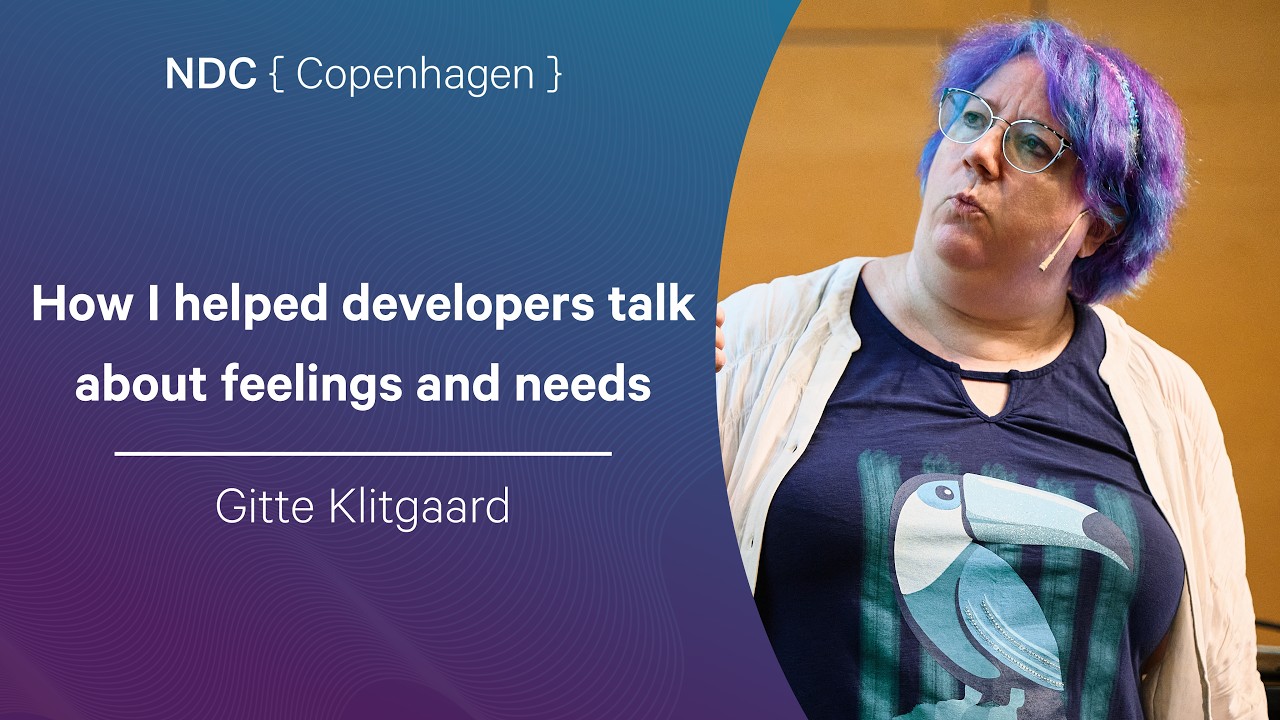
How I helped developers talk about feelings and needs - Gitte Klitgaard - NDC Copenhagen 2026

While the video metadata focuses on advanced AI security topics like Fine-Grained Authorization (FGA) for Retrieval-Augmented Generation (RAG), the talk itself addresses organizational communication and psychological safety. The speaker emphasizes that effective collaboration requires explicit tools, setting clear 'frames' (rules of engagement), and creating a safe space where developers feel comfortable discussing needs and emotions without fear of judgment or professional facade.

Key takeaways

  1. The Importance of Psychological Safety 17:05

    Psychological safety is defined as feeling secure enough to be oneself, disagree, and bring all of your thoughts to work without fear of ridicule or punishment. This requires active effort, especially in remote settings.

  2. Communication Requires Tools 21:45

    Effective communication is not innate; it requires specific skills and tools (like structured workshops or 'rules of engagement'). Simply working together does not guarantee successful collaboration.

  3. The Power of Framing 34:10

    Setting a clear frame—or set of rules—for a project or meeting is crucial for creativity and open discussion. Constraints, like those used in Lego design, can actually stimulate better ideas.

  4. Addressing AI Misunderstandings 38:20

    When discussing complex topics like Generative AI, teams must ensure they are all talking about the same thing (e.g., distinguishing between different types of 'spam' or AI implementation) to avoid major misunderstandings.

Watch on YouTube Full article

Building Deep Agents and Deploying in Production thumbnail

· 15:40

Building Deep Agents and Deploying in Production

Deep Agents are defined as a sophisticated 'harness' built around foundational LLMs, providing the necessary infrastructure—beyond just the model itself—to make agents reliable and useful in production. The system integrates core primitives like memory, tools, file systems (acting as scratchpads), and middleware hooks. For deployment, critical considerations include implementing durable execution via checkpointing, managing short and long-term memory stores, establishing robust Role-Based Access Control (RBAC) for tool access, and designing for human oversight (human in the loop).

Key takeaways

  1. Deep Agents are a 'Harness' 0:27

    An agent is conceptualized as an LLM plus a harness. The harness encompasses all infrastructure—including system prompts, memory management, tools, file systems, and middleware—that makes the model reliable for a given task. (0:27)

  2. Deep Agents Architecture 6:58

    Deep Agents represent the highest level of abstraction in the LangChain stack, built on top of LangGraph, which provides the core composable nodes and edges necessary for complex agent workflows. (4:18)

  3. Production Reliability Requirements

    For production deployment, agents must handle long-running tasks using durable execution (checkpointing) to recover from failures at any step, manage short/long-term memory across sessions, and incorporate human approval loops. (9:48)

Watch on YouTube Full article