Topic

Agent Orchestration

All digests tagged Agent Orchestration

100x More Reliable Voice Agents thumbnail

· 14:35

100x More Reliable Voice Agents

Unmute is introduced as an open, declarative standard for building voice agents, designed to solve the critical problem of vendor lock-in and architectural fragility in the current voice AI landscape. Current agents are often embedded within specific platforms (e.g., ElevenLabs, VAPI, LiveKit), making them non-portable. Unmute shifts the paradigm by declaring the agent's behavior, tool calls, data flows, and failure handling in a single, compiled package, making the LLM an optional resource rather than the sole decision-making spine. This approach ensures structural guarantees and portability across different cloud runtimes.

Key takeaways

  1. Declarative Execution and Portability 2:00

    Unmute allows the agent's behavior to be defined in a single, portable package that compiles to various runtimes (e.g., PipeChat Cloud, LiveKit Cloud, or Slang's architecture). This means the agent's core logic remains version-controlled IP, regardless of the underlying infrastructure or cloud region.

  2. Addressing LLM Over-Reliance 3:00

    Traditional agents assume the LLM is the decision-making spine, leading to unpredictable, expensive, and difficult-to-govern behavior. Unmute enforces execution through declared steps, making the LLM an optional resource that must 'earn its place' in the call.

  3. Structural Guarantees over Instructions 4:00

    The standard moves beyond the false choice between rigid IVR and complex single-prompt agents. By splitting the work into discrete, context-limited steps, the system achieves determinism—allowing specific rules (like a regulated disclosure) to be locked down while other parts remain generative, all within the same call.

Watch on YouTube Full article

Netlify's Dana Lawson: 'We Ain't Precious No More' thumbnail

· 10:06

Netlify's Dana Lawson: 'We Ain't Precious No More'

The landscape of software development is shifting from developer-centric to builder-centric, driven by AI agents. While agents enable non-technical users (Product Managers, designers) to open pull requests (PRs) and build applications, this transition introduces new challenges. Agents can fail by missing crucial product or design context, even when passing automated CI checks. Successful adoption requires platforms to be designed for these diverse 'builders' and necessitates that Product Managers evolve into 'agent orchestrators' who define the system's boundaries and ensure proper human control planes.

Key takeaways

  1. Agent Failure Due to Context Loss 2:24

    An agent, despite having access to skills, CI requirements, and passing automated checks, can fail by using a generic component (e.g., a generic React button) instead of a specific, context-aware component that holds critical requirements like accessibility patterns. (Marc Sloan, 00:00:24)

  2. Non-Technical PR Merge Metrics 3:26

    Across hundreds of organizations, 74% of PRs opened by non-technical individuals get merged, and 84% of those merge without any developer needing to push follow-up commits. (Tammuz Dubnov, 00:03:26)

  3. The Builder Persona Shift 5:21

    The platform is no longer built solely for developers. The rise of agents means that anyone—therapists, students, small business owners—can build, making the builder persona far broader. (Dana Lawson, 00:05:41)

Watch on YouTube Full article

Harness Engineering: Building the Production Cage for Powerful Domain Agents — Mike Chambers, AWS thumbnail

· 20:46

Harness Engineering: Building the Production Cage for Powerful Domain Agents — Mike Chambers, AWS

The presentation introduces 'Harness Engineering,' a critical concept for building production-grade AI agents at scale. Mike Chambers distinguishes between agents that are used (e.g., coding assistants) and agents that are built. For built agents, the harness encompasses all non-model components—such as memory, skills, tools, identity, and context management—that must scale independently. The core principle is that scaling these components separately, rather than deploying them in a single container, is essential for handling thousands of users and maintaining reliability.

Key takeaways

  1. Two Types of Agents 4:05

    Agents are categorized into 'agents we use' (productivity tools, coding assistants) and 'agents we build' (production-scale systems). The approach for built agents requires careful architectural planning.

  2. Defining the Harness 7:04

    A harness is defined by subtraction: take an agent and remove the model component; everything left over is the harness. This includes the infrastructure, skills, and tools.

  3. Scaling Built Agents 10:57

    For production agents, the harness must manage complex concerns like loop management, scaling, payments, identity, runtime, context management, and observability. Attempting to containerize everything together is incorrect for high scale.

  4. Avoiding 'Slop Ops' 10:07

    Build engineers must avoid 'slop ops' (clicking around a console to deploy resources). Instead, agents must build infrastructure using Infrastructure as Code (IaC) to maintain ownership and control over cloud deployments.

Watch on YouTube Full article

How to set up Herdr for multi-agent coding (full guide) thumbnail

· 28:40

How to set up Herdr for multi-agent coding (full guide)

This guide details setting up Herder, a tool described as the 'meta' for multi-agent coding, allowing developers to manage and orchestrate multiple AI coding agents and projects within a persistent terminal environment. The setup emphasizes creating isolated 'spaces' for different projects, integrating various AI model harnesses (e.g., Grock, Codeex, Claude), and optimizing the workflow using advanced CLI tools like zoxide, Neovim, and Lazygit. The core benefit is achieving a single, persistent interface for complex, multi-agent development cycles, minimizing context switching and session loss.

Key takeaways

  1. Persistent Session Management

    Herder allows developers to maintain persistent terminal sessions (spaces) that survive terminal closures, similar to T-Mix, ensuring continuous work history and state for CLI-based coding tools.

  2. Agent Orchestration and Delegation

    The Herder skill enables agents to communicate and delegate tasks across different sessions and models (e.g., using Claude to review code started by Grock), providing full transparency into the multi-agent workflow.

  3. Customization via config.toml 20:32

    All aspects of Herder—including colors, spacing, and keyboard shortcuts—can be customized using the `config.toml` file, which can even be configured by an AI agent.

  4. Optimizing Navigation and Workflow

    Integrating tools like zoxide for faster folder navigation and Lazygit for Git status review allows the entire development process to be contained within a single, optimized terminal interface.

Watch on YouTube Full article

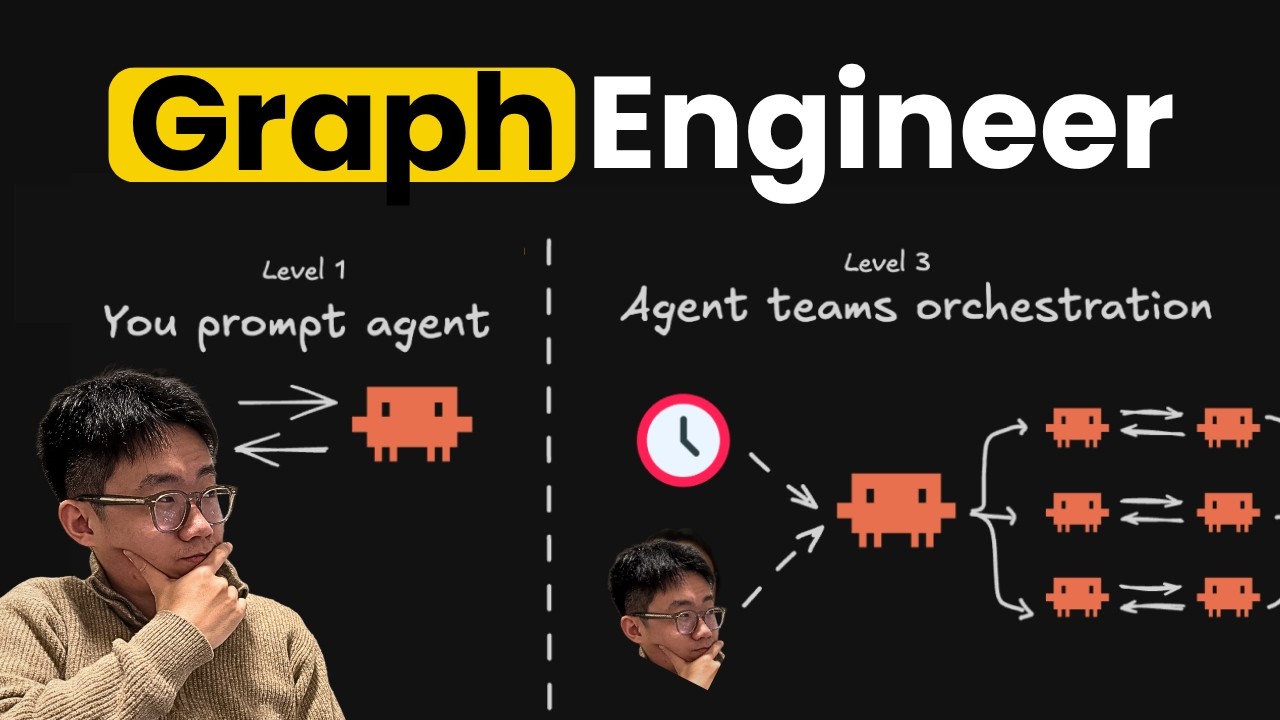
I don't prompt agents anymore... thumbnail

· 22:22

I don't prompt agents anymore...

The video clarifies that 'graph engineering' primarily refers to building **Control Graphs**, which are structured workflows or SOPs designed to make AI agents reliable and predictable. The speaker details three primary methods for implementing these graphs: using dedicated code frameworks (like `LangGraph` or Dynamic Workflow), leveraging the LLM itself as the orchestrator, or employing agent-to-agent communication patterns. Implementing robust graphs requires defining clear nodes/edges, managing state artifacts, and crucially, integrating deterministic tools like verifiers and scripts to ensure reliability.

Key takeaways

  1. Focus on Control Graphs

    The term 'graph' is often misused; the practical focus should be on **Control Graphs**—workflows that enforce SOPs for reliable agent execution. This is distinct from Knowledge Graphs or Graph of Loops (though the latter is a new, complex area).

  2. Implement Reliability Layers 20:57

    For any automated process, setting up a dedicated 'verifier' skill/agent node is critical to building confidence and ensuring the agent's output meets expected standards.

  3. Choose Your Graph Implementation Method

    Graphs can be enforced via: 1) **Code-as-Graph** (using tools like Dynamic Workflow or `LangGraph`), 2) **Large Model as Graph** (defining SOPs in text/JSON for the LLM to follow), or 3) **Agent Teams** (an orchestrator agent managing a team of specialized agents).

  4. Best Practices for Workflow Design

    To maximize reliability, always define clear inputs and outputs for each node. Use dedicated scripts/code for complex data fetching or deterministic steps rather than relying solely on the LLM.

Watch on YouTube Full article

Managed Deep Agents - Instructions and Context Hub thumbnail

· 5:40

Managed Deep Agents - Instructions and Context Hub

This video details how 'Instructions' define the behavior of Managed Deep Agents. These instructions are stored in a dedicated Context Hub, allowing developers to modify agent behavior directly through the UI without needing to redeploy code. The process involves syncing local changes (e.g., modifying `instructions.md`) with the production Context Hub via commands like `mda deploy`, and understanding how conflicts between local and deployed instructions can be resolved.

Key takeaways

  1. Instructions Define Agent Behavior

    Instructions are the core component defining an agent's behavior, typically placed within the system prompt. Changing these instructions immediately impacts the agent's output (e.g., changing response language from Italian to Spanish).

  2. Context Hub for Non-Code Changes 2:05

    The Context Hub allows agents to be updated by modifying instructions in a UI, which automatically propagates changes to the deployed agent without requiring code redeployment.

  3. Syncing Local and Production Instructions 3:50

    When running `MDA deploy`, if the Context Hub has been manually edited (e.g., in production), the deployment process pauses, allowing the user to choose whether to override the hub-edited instructions with the local version or vice versa.

Watch on YouTube Full article

Build a social media agent with Managed Deep Agents thumbnail

· 12:49

Build a social media agent with Managed Deep Agents

This tutorial demonstrates building an autonomous social media agent using LangChain's Managed Deep Agents (MDA). The resulting agent monitors Hacker News and X (Twitter) to generate daily drafts of post ideas, which are then delivered directly to the user via Slack. The process covers setting up the project structure, defining custom tools, implementing specialized skills, configuring persistent memory across sessions, scheduling autonomous execution, and deploying the system to a production channel.

Key takeaways

  1. Agent Initialization and Setup 2:00

    The process begins by installing dependencies using `UV tool install managed deep agents` and initializing the project with `MDA init social post assistant`. The agent's entry point (`agent.py`) is configured, specifying model properties (e.g., changing to `GPT-5.6 Luna` for cost efficiency) and defining access tools.

  2. Tooling and Data Integration 3:50

    Custom tools are built to interact with external APIs: a tool to search Hacker News (using Algolia API) and two tools for X/Twitter (`get X user timeline` and `search X posts`). Authentication requires defining bearer tokens in the `.env` file.

  3. Advanced Agent Configuration 5:50

    The agent's behavior is governed by a core instruction file (`instructions.md`) and specialized, modular knowledge packages called 'Skills.' A skill (e.g., `draft posts`) provides dynamic instructions for specific tasks like drafting or revising content.

  4. Persistence and Automation 7:50

    To maintain context across different runs, a memory file (`memory.py`) is set with the scope to 'agent.' The agent's autonomy is established by creating a schedule (e.g., `morning drafts.py`) using cron expressions to run daily at 9:00 a.m. Pacific time.

  5. Deployment and Connectivity 9:40

    The agent is tested locally via `MDA dev` (which opens the agent in LangSmith Studio) before deployment using `MDA deploy`. Slack integration requires running `mda channel add slack`, generating a manifest, and setting up necessary environment variables (Slack signing secret and bot token).

Watch on YouTube Full article

Thinking Machines Lab drops Inkling & Meta’s Muse Spark 1.1 thumbnail

· 39:02

Thinking Machines Lab drops Inkling & Meta’s Muse Spark 1.1

The AI landscape is shifting its focus from pure benchmark performance to customizable intelligence and architectural efficiency. This analysis covers three major model releases: Thinking Machines' open-weight Inkling (emphasizing customization via fine-tuning), Meta’s Muse Spark 1.1 (targeting cost-efficient agent workloads for enterprise use), and OpenAI's GPT-5.6 Sol, which showed progress on the challenging ARC-AGI-3 benchmark. Furthermore, Anthropic's J-space paper introduces a novel method to view internal model processing, offering potential new avenues for AI safety and control in agent development.

Key takeaways

  1. Shift from Benchmarks to Customization

    The industry debate is moving away from which closed model is the 'best' toward utilizing open base models combined with robust fine-tuning platforms (e.g., Inkling/Tinker API) for tailored, customizable intelligence.

Watch on YouTube Full article

The Future of AI Infra: from Kubernetes to Agent Sandboxes — Akshat Bubna, Modal CTO thumbnail

· 59:10

The Future of AI Infra: from Kubernetes to Agent Sandboxes — Akshat Bubna, Modal CTO

Modal CTO Akshat Bubna discusses how modern AI workloads—especially those involving agents and elastic inference—exceed the design capabilities of traditional cloud infrastructure like Kubernetes. Modal addresses this by providing a specialized, highly elastic platform built on primitives such as serverless functions, GPU snapshotting, private IPv6 networking, and RDMA support. The discussion highlights a critical shift from optimizing for Developer Experience (DX) to enabling Agent Experience (AX), where the infrastructure must support complex, bursty compute patterns like those found in RL rollouts or custom model deployment across multiple cloud providers.

Key takeaways

  1. Shift from DX to AX 17:33

    Modal is shifting its focus from Developer Experience (DX) to Agent Experience (AX). This shift acknowledges that agents will increasingly operate on infrastructure, making the ability for an agent to self-provision and modify resources via decorators more valuable than manually writing complex YAML files in Kubernetes.

  2. K8s Limitations for AI 4:19

    Traditional orchestration tools like Kubernetes were not designed for highly bursty, compute-heavy workloads common in AI. They struggle with the rapid scaling and specialized resource needs (like accelerators) required by modern models.

  3. Elastic Inference & Autoscaling 21:00

    The platform excels at elastic inference for custom models (e.g., audio, video, robotics). The core challenge is managing unpredictable traffic patterns and scaling rapidly across different regions, a problem Modal addresses through its autoscaling primitives.

  4. Advanced Performance Primitives 27:30

    To achieve frontier-level inference performance, Modal utilizes techniques like speculative decoding (using a smaller 'draft model' to predict tokens ahead of the main model) and DeFlash (a block-based speculator), achieving significant speedups without quality loss.

Watch on YouTube Full article